Is it easier for you to remember numbers or names? Most likely, names are much easier to remember. This is one of the reasons websites use domain names that are simple and memorable for users.
In the early days of the internet, accessing a website meant using its numerical IP address. Remembering and using these numbers was difficult and impractical for most users. To solve this problem, the Domain Name System (DNS) was introduced.
DNS translates human-readable domain names into IP addresses that computers use to identify and communicate with each other. This process allows users to access websites using memorable domain names instead of having to remember numerical IP addresses.
What Is DNS?
A simple way to understand DNS is to think of it as a phone book for the internet.
Just as you save a person’s phone number under their name in your contacts, DNS maintains the relationship between domain names and the IP addresses associated with them. When a user enters a domain name into a web browser, DNS helps find the IP address associated with that domain so the browser can connect to the correct server.
DNS is one of the most important components of the internet infrastructure. Its primary role is to translate domain names into IP addresses and help direct requests toward the appropriate destination.
Why Is DNS Important?
DNS makes the internet easier to use by allowing people to access websites and online services through recognizable domain names rather than numerical IP addresses.
However, DNS is not limited to website access. It is also used for services such as email delivery, domain verification, service discovery, and other network-related functions. For example, MX records help identify the mail servers responsible for receiving email for a domain, while TXT records can be used to store verification and other text-based information.
Without DNS, users and applications would have to rely much more heavily on numerical addresses and manually configured information, making the internet significantly harder to manage and use.
Choosing a short, simple, and memorable domain name is an important first step toward building a strong online presence. Whether you are launching a website, starting an online business, or creating a personal project, the right domain can help people easily recognize and remember your brand. If you are ready to buy a domain, make sure you choose a name that is relevant to your brand, easy to remember, and suitable for your long-term goals.
How Does DNS Work?
Suppose you enter https://potenting.com/ into your browser. Before the browser can connect to the website’s server, the domain name needs to be resolved to an IP address.
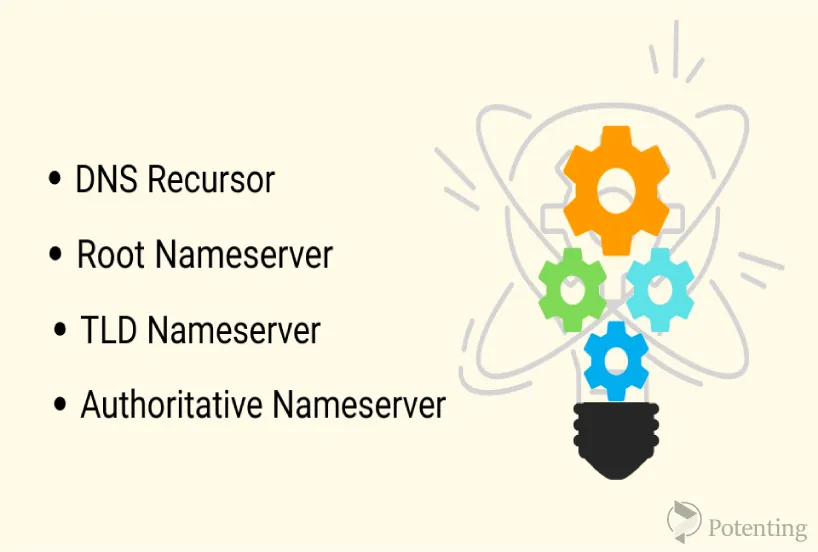
DNS handles this process through a series of queries. Depending on whether the required information is already cached, the query may involve four main types of DNS servers. These servers work together to find the authoritative information for the requested domain.
DNS Recursor (DNS Resolver)
The Root Nameserver is the next step in the DNS lookup process when the resolver needs to find information that is not available in its cache. The root server does not provide the final IP address of the requested domain. Instead, it directs the resolver toward the appropriate Top-Level Domain (TLD) Nameserver based on the domain extension. For example, if the requested domain is potenting.com, the root nameserver directs the resolver toward the nameservers responsible for the .com TLD.
You can think of the root nameserver as an index in a large library. It does not contain the exact information you are looking for, but it tells you where to continue your search.
Root Nameserver
The Root Nameserver is the next step in the DNS lookup process when the resolver needs to find information that is not available in its cache. The root server does not provide the final IP address of the requested domain. Instead, it directs the resolver toward the appropriate Top-Level Domain (TLD) Nameserver based on the domain extension. For example, if the requested domain is potenting.com, the root nameserver directs the resolver toward the nameservers responsible for the .com TLD.
You can think of the root nameserver as an index in a large library. It does not contain the exact information you are looking for, but it tells you where to continue your search.
TLD (Top-Level Domain) Nameserver
The TLD Nameserver is responsible for a specific top-level domain, such as .com, .org, or .net. When the resolver asks the .com TLD nameserver about potenting.com, the TLD nameserver does not normally return the website’s final IP address. Instead, it provides information about the Authoritative Nameserver responsible for the potenting.com domain.
This allows the resolver to continue the lookup and request the final DNS information from the server that is authoritative for the domain.
Authoritative Nameserver
The Authoritative Nameserver contains the actual DNS records for the domain. When the resolver sends a query for potenting.com to its authoritative nameserver, the server checks its DNS records and returns the requested information, such as the domain’s IP address.
The DNS resolver then receives this information and returns the result to the user’s device. The browser can use the IP address to establish a connection with the website’s server and load the requested page.
What Are DNS Records?
DNS records are entries stored on DNS servers that contain different types of information about a domain. Each record type has a specific purpose.
Some of the most common DNS records include:
- A Record: Maps a domain name to an IPv4 address.
- AAAA Record: Maps a domain name to an IPv6 address.
- CNAME Record: Points one domain name to another domain name.
- MX Record: Specifies the mail servers responsible for receiving email for a domain.
- NS Record: Identifies the authoritative nameservers for a domain.
- TXT Record: Stores text-based information that can be used for purposes such as domain verification and email authentication.
- SOA Record: Contains important administrative information about a DNS zone, including information about the authoritative nameserver and zone updates.
These records allow DNS to do much more than simply associate a domain name with an IP address.
What is DoH?
DNS is one of the most important and widely used protocols on the Internet. However, one of its weaknesses is that, in its traditional design, it relies to some extent on trust in the DNS infrastructure, and DNS requests and responses are typically sent without encryption.
In today’s world, this can lead to various security and privacy issues. For example, imagine that the communication path between a user and a DNS server is compromised or that an attacker is able to modify DNS responses. In such a case, the user may receive the address of a different server instead of the legitimate address for a domain, without realizing that the response has been altered.
DNS over HTTPS (DoH) was introduced to address some of these issues. With DoH, DNS requests are sent over an encrypted HTTPS connection. As a result, DNS requests and responses cannot be easily observed or modified while they are being transmitted.
In simple terms, DoH uses HTTPS to improve the security and privacy of DNS communications and helps prevent DNS requests and responses from being easily intercepted or tampered with in transit.
Finally
DNS is a fundamental part of how the modern internet works. It allows users to access websites and online services through easy-to-remember domain names instead of numerical IP addresses. Behind this simple experience, DNS resolvers, root nameservers, TLD nameservers, and authoritative nameservers work together to locate the correct information.
DNS records also provide much more than basic domain-to-IP mapping. Records such as A, AAAA, CNAME, MX, NS, TXT, and SOA support website access, email delivery, domain management, verification, and many other network services. At the same time, the traditional DNS system has limitations, particularly when it comes to the privacy and security of DNS traffic. Technologies such as DNS over HTTPS (DoH) help address some of these concerns by encrypting DNS queries and responses during transmission.
Understanding how DNS works provides a better understanding of what happens behind the scenes every time we enter a domain name into a browser. Although DNS is largely invisible to users, it remains one of the essential systems that makes the internet practical, scalable, and accessible.
FAQ
1. What is a TLD nameserver?
A TLD nameserver provides information about the authoritative nameservers responsible for a specific domain, such as potenting.com.
2. What happens if DNS does not work?
If DNS resolution fails, a browser or application may be unable to determine the server’s IP address, which can prevent the requested website or service from being accessed.