Online gaming has become massively popular today, evolving into a highly competitive industry complete with professional esports tournaments. However, to enjoy a seamless, lag-free multiplayer experience, relying on a standard home network or shared hosting simply isn’t enough.
This is where a Virtual Private Server (VPS) comes in. By providing strictly isolated resources, ultra-low latency, and full administrative control, a Gaming VPS is the ultimate solution for uninterrupted gameplay. In this quick guide, we will explore what a gaming VPS is, its key benefits, and how you can easily set one up.
Why Use a VPS for Multiplayer Gaming?
A Virtual Private Server (VPS) is a physical server divided into multiple isolated virtual environments using virtualization technology. Each user receives an allocated portion of the server’s resources, providing more predictable performance than shared hosting. At the same time, a VPS is more affordable and requires fewer resources than a dedicated server, making it a practical solution for hosting multiplayer game servers.

Why Choose a VPS for Multiplayer Gaming?
A Virtual Private Server (VPS) is a powerful server that offers users a variety of features, including:
Eliminating Lag and Disconnections
When you use a personal computer as a host for multiplayer games, or even rely on a shared server, you should expect speed drops and server disconnections. When multiple players connect to a single server, resources are consumed rapidly, and performance degrades significantly after a certain point. However, a VPS resolves this issue. With a VPS, resources are completely isolated and dedicated to you, meaning you will not face typical shared server problems like instability or disconnections. You can seamlessly play in groups on a VPS and benefit from the dedicated resources of a single server.
Low Latency
At a certain point, gaming becomes more than just a pastime, and winning becomes incredibly important. This is exactly why using a VPS matters. Ping refers to the time it takes for an action you perform to be transmitted to the server and for the response to return to your system. If your ping is high, your inputs reach the server late, resulting in sluggish in-game performance. Using a VPS with low ping completely eliminates this issue.
Server Configuration
By acquiring a VPS, you gain extensive control over the server settings and can deeply customize them. This allows you to optimize the server environment specifically for gaming, ensuring the best possible gaming experience.
Applications of a Gaming VPS
A Gaming VPS is a versatile, high-availability infrastructure solution utilized by various groups across the gaming industry. Here are some of the most prominent applications:
Gaming communities use a VPS to host multiplayer environments, ensuring high speeds and low latency.
Competitive gaming communities (Esports teams) also rely on VPS servers to practice for tournaments.
Streamers and gaming content creators use a VPS to host games so that their audience can join in their gameplay.
As gaming communities grow, VPS resources can be easily scaled up; this feature makes a VPS a highly practical solution.
And more…
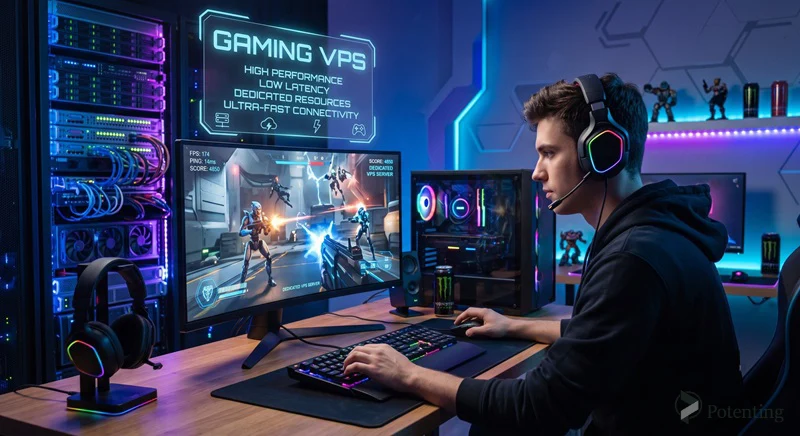
Important Factors to Consider When Choosing a Gaming VPS
While it is true that a VPS offers the aforementioned features and is highly practical for gaming, not all VPS providers deliver on these promises. You might even end up purchasing a VPS that performs worse than your personal computer!
To ensure you invest in the right infrastructure, pay close attention to these critical factors:
- Geographical Location: When choosing a VPS, pay close attention to its geographical location. Choose a server that is closest to you, as this helps reduce latency (ping) and increase speed.
Potenting offers high-performance VPS servers in multiple locations worldwide, making it easy to find the perfect region for your gaming community.
Server Uptime: Check the server’s uptime and aim for a provider that guarantees an uptime of 99.9% or higher. High uptime is a direct indicator of server stability and reliability.
Scalability: Scalability is another crucial factor that you might overlook, but it is highly important. Make sure the server you choose is easily scalable (so you can upgrade resources instantly as your needs grow).
Security: Server security is of paramount importance and must be carefully considered when selecting a VPS (especially robust DDoS protection, which is vital for gaming servers).
How to Set Up a Gaming VPS?
Deploying your own gaming server might seem daunting, but it is a straightforward process when broken down into manageable steps. Here is how you can launch your dedicated gaming environment:
Provision the Right VPS Plan
The foundational step is acquiring a robust virtual server with specifications tailored to your game’s requirements. For a diverse range of global geographical locations, cost-effective pricing, guaranteed high uptime, and seamless scalability, we highly recommend visiting potenting.com. Their infrastructure is engineered to deliver the stability required for demanding workloads.
Install the Game Server Files
Once your VPS is provisioned and you receive your credentials, log into your server (via SSH for Linux distributions or RDP for Windows). Depending on the title, you will need to download and install the dedicated server files, often utilizing command-line tools like SteamCMD.
Configure and Optimize Server Settings
Simply installing the game files is not enough; the backend must be optimized. This crucial step involves editing server configuration files, allocating specific hardware resources, configuring firewall rules, and opening the necessary network ports (port forwarding) to allow incoming player connections safely.
Launch and Monitor the Server
After applying your custom configurations, it is time to initialize the server. Best practice dictates running the game server script within a persistent background terminal multiplexer (such as tmux or screen on Linux) to ensure the game world remains active and online even after you close your SSH session.
In the End: Dedicated Server or VPS?
Choosing between a dedicated server and a VPS depends on your needs, budget, and the scale of your project. If you require maximum processing power, fully dedicated resources, and complete control over your server environment, a dedicated server is the best choice. However, if you’re looking for a cost-effective solution that offers stable performance, easy management, and sufficient dedicated resources for most multiplayer games, a VPS is an excellent option. For many gamers and server administrators, a VPS provides the ideal balance of cost, performance, and flexibility, delivering a smooth and reliable gaming experience without the higher expense of a traditional dedicated server.
FAQ
1. Why do I need a VPS for hosting online games?
A VPS provides dedicated resources, greater stability, lower ping, and better performance than a home internet connection or shared hosting. It also helps prevent lag, disconnections, and performance degradation.
2. Do I need technical knowledge to manage a Gaming VPS?
Yes. To install, configure, and manage a server, it is generally helpful to have familiarity with Linux or Windows operating systems, SSH or RDP, and basic network configuration.