Choosing the right hosting solution is one of the most important decisions you make when building a website or running an online business. Your hosting environment affects how your website performs, how easily it can handle increasing traffic, and how well it can recover from technical problems. But when comparing VPS and cloud hosting, which option should you choose?
At first glance, these two hosting solutions may seem similar. Both provide virtualized resources that you can use to run websites, applications, and other online services. However, the way these resources are provided and managed makes a significant difference. Understanding these differences can help you choose a hosting solution that fits your project without paying for resources you do not need.
What Is the Difference Between VPS and Cloud Hosting?
The main difference between VPS and cloud hosting is how their resources are organized and made available to users.
- VPS hosting provides a virtual server with a defined amount of resources on a physical machine. These resources are allocated to your virtual server, giving you more control over its configuration and software environment.
- Cloud hosting, on the other hand, uses a network of interconnected servers to provide computing resources. Depending on the provider and infrastructure, these resources can be adjusted as your needs change. Some cloud environments can also move workloads to other servers when hardware problems occur.
Both solutions rely on virtualization, but they serve different needs. A VPS is often a practical choice for projects with relatively predictable resource requirements, while cloud hosting is particularly useful when flexibility, scalability, and infrastructure resilience are important.
Benefits of VPS and Cloud Hosting
Managing a website involves more than publishing content and attracting visitors. As your project grows, you may need additional computing power, more storage, better availability, or greater control over your server environment.
The right hosting solution can help you manage these requirements more effectively. However, VPS and cloud hosting approach these challenges differently.
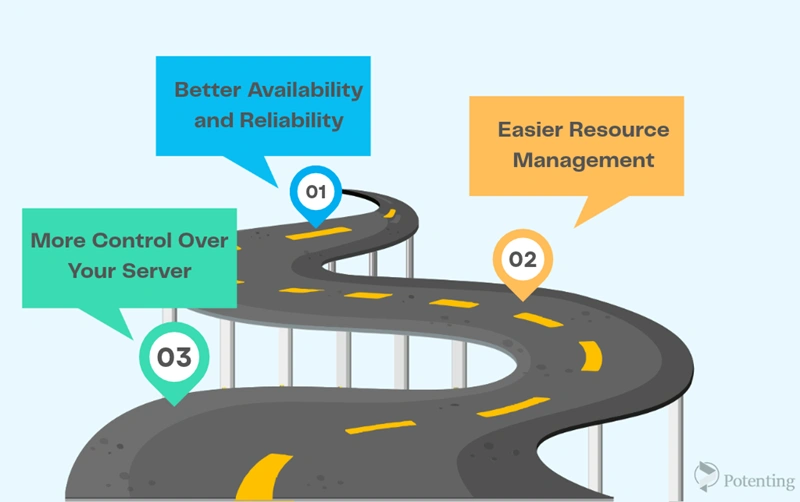
More Control Over Your Server
One of the main advantages of VPS hosting is the control it provides. Depending on your hosting plan, you may have root access, allowing you to install software, configure services, and adjust server settings according to your requirements.
This level of control is useful for developers, system administrators, and businesses that need a specific server configuration. Instead of working within the limitations of a typical shared hosting environment, you can manage your own virtual server.
Cloud hosting can also provide extensive control, particularly through Infrastructure as a Service (IaaS) platforms. However, the available configuration options depend on the provider and the cloud service you choose.
Easier Resource Management
Your website’s resource requirements can change over time. A website that runs smoothly today may need additional CPU, RAM, or storage as its traffic increases.
With VPS hosting, increasing resources usually means upgrading your existing plan or moving to a different configuration. The available options depend on the provider and the physical server’s capacity.
Cloud hosting offers more flexible resource management. Many providers allow you to increase or decrease resources through a control panel or API without manually migrating your entire environment. This can make it easier to respond to traffic changes and business growth.
Better Availability and Reliability
Imagine that your website is hosted on a physical server and that server experiences a hardware failure. Depending on the infrastructure and recovery arrangements, your VPS may become unavailable until the problem is resolved.
Cloud hosting can reduce this risk by distributing workloads across multiple servers. In appropriately designed cloud environments, workloads can be transferred to healthy infrastructure when a server fails.
However, this does not mean that every cloud service guarantees uninterrupted operation. Actual availability depends on the provider’s architecture, redundancy, backups, and recovery mechanisms.
VPS Hosting: What Should You Know?
A Virtual Private Server (VPS) is a virtual machine created on a physical server using virtualization technology. A software layer called a hypervisor divides the physical machine’s resources among multiple virtual machines.
Each VPS operates independently and has its own operating system, allocated resources, and configuration. Although several virtual servers may share the same physical hardware, users generally cannot access one another’s virtual environments.
Advantages of VPS Hosting
- VPS hosting offers several benefits, especially for projects that need more control than shared hosting provides.
- Dedicated resource allocation: Your VPS receives a defined allocation of CPU, RAM, and storage, although actual performance also depends on the underlying hardware and provider’s resource management.
- Root access: You can install applications, configure services, and manage the operating system when your plan provides administrative access.
- Predictable costs: Many VPS plans have fixed monthly prices, making it easier to plan your hosting budget.
- Independent environment: Your operating system and server configuration are separate from those of other VPS users.
- Suitable for smaller projects: VPS hosting can handle business websites, development environments, applications, and other workloads with relatively stable resource requirements.
Disadvantages of VPS Hosting
Despite these advantages, VPS hosting has limitations that you should consider before choosing a plan.
The most important limitation is that your virtual server depends on its underlying physical infrastructure. If that machine becomes overloaded or experiences a hardware failure, your VPS may suffer from reduced performance or downtime.
Scaling can also require additional work. Although many providers support online upgrades, some configurations require migration or maintenance. This may involve additional costs or temporary service interruptions.
Another consideration is server management. If you choose an unmanaged VPS, you may be responsible for installing updates, configuring security, monitoring performance, and troubleshooting technical problems. Without the necessary knowledge, these tasks can become difficult to manage.
When Should You Choose VPS Hosting?
VPS hosting is a practical option when your project needs a dedicated virtual environment but does not require the flexibility of a larger cloud infrastructure.
For example, a company running a corporate website, a small online store, or an internal application may find that a VPS provides enough resources at a reasonable cost. Developers can also use VPS environments to test applications, run databases, or host services that require specific software configurations.
If your workload is relatively predictable and you are comfortable managing a server, VPS hosting can offer a good balance between cost, control, and performance.
Cloud Hosting: How Does It Work?
Cloud hosting uses a network of interconnected servers to provide computing resources. Instead of relying entirely on one physical machine, the infrastructure can distribute workloads across multiple servers, depending on how the platform is designed.
These resources may include computing power, memory, storage, networking, and additional services. Through a cloud control panel or API, users can manage their infrastructure and adjust available resources according to their needs.
One of the main differences is that cloud infrastructure can be designed to support resource scaling and workload recovery without requiring every change to involve a new physical server.
Advantages of Cloud Hosting
Cloud hosting provides several benefits for businesses that need flexible infrastructure.
- Scalability: Resources can often be increased or decreased as demand changes, making it easier to accommodate business growth.
- High availability: Properly configured cloud environments can continue operating when individual servers or hardware components fail.
- Flexible infrastructure: Depending on the platform, you can deploy applications, configure virtual networks, and integrate additional services.
- Support for changing workloads: Cloud resources can help websites and applications handle periods of increased demand.
- Additional services: Many cloud providers offer services such as managed databases, monitoring, automated backups, firewalls, and load balancing.
These capabilities can reduce the amount of manual work required to expand an infrastructure. Instead of planning every hardware upgrade in advance, businesses can often adjust their resources through the cloud platform.
Disadvantages of Cloud Hosting
Cloud hosting also has challenges, and flexibility does not automatically make it the best choice for every project.
Cost management is one of the main considerations. Some cloud services charge according to resource consumption, storage, data transfer, or additional features. If usage increases unexpectedly or resources remain active unnecessarily, costs can rise.
Cloud platforms can also be more complicated to configure and manage. Businesses using advanced networking, distributed applications, or multiple cloud services may need specialized technical knowledge.
Finally, moving to the cloud does not automatically solve every reliability or security problem. Poor configurations, application errors, insufficient backups, and provider outages can still affect your services.
VPS vs. Cloud Hosting: Key Differences
Although both solutions provide virtualized resources, their differences become clearer when you compare how they handle performance, scaling, costs, and availability.
| Comparison Criteria | VPS Hosting | Cloud Hosting |
|---|---|---|
| Performance | Delivers consistent performance when resources are properly allocated and hardware is suitable. | Supports workload distribution and flexible resource allocation across infrastructure. |
| Scalability | Usually requires a plan upgrade, configuration change, or server migration to increase capacity. | Typically offers greater flexibility to scale resources up or down. |
| Pricing | Usually has a fixed monthly cost, making expenses easier to predict. | May use fixed plans, usage-based billing, or a combination of both. |
| Reliability | Depends on the availability of the underlying physical server unless redundancy or recovery mechanisms are provided. | Can offer greater fault tolerance when the infrastructure is designed with appropriate redundancy. |
| Best For | Websites and applications with predictable and relatively stable resource requirements. | Projects with changing resource demands and a need for flexible infrastructure. |
| Key Consideration | Scaling up may require a plan upgrade or migration to another server. | Automatic scaling and reliability depend on the provider's architecture and service configuration. |
How to Choose Between VPS and Cloud Hosting
Choosing between these two solutions becomes easier when you start with your actual requirements rather than the features advertised by hosting providers.
Consider Your Project’s Size
A small business website or application with stable traffic may not need the additional complexity of cloud infrastructure. A VPS can provide the resources and control required to run the project without unnecessary expenses.
Larger applications, growing online stores, and services with multiple components may benefit from cloud hosting, particularly when their resource requirements change frequently.
Think About Future Growth
You should also consider how your project may develop over the next few months or years.
If you expect relatively stable traffic, a VPS with sufficient resources may be all you need. If you anticipate rapid growth or significant traffic fluctuations, cloud hosting can make it easier to expand your infrastructure.
Evaluate Your Technical Skills
An unmanaged VPS requires you to handle many server administration tasks yourself. Cloud infrastructure can require even more advanced knowledge when several services need to work together.
If you do not want to manage these tasks independently, consider a managed hosting service. A managed solution can reduce the administrative workload, although the exact services included depend on the provider.
Finally
Ultimately, choosing between VPS and cloud hosting depends on your website’s needs, budget, and resource requirements. If you need dedicated resources and greater control over your server, a VPS may be a suitable option. However, if resource flexibility and handling fluctuating traffic are more important to you, cloud hosting is worth considering. Before making a decision, compare the features and costs of each service to choose the option that best suits your website’s current needs and future growth.
FAQ
1. Can a VPS be connected to cloud infrastructure?
Yes, in some architectures, a VPS can be integrated with cloud services such as storage, databases, or monitoring tools. However, this depends on the provider’s capabilities and the compatibility of the services.
2. What is the difference between VPS and cloud hosting in terms of virtualization?
A VPS is typically created on a physical server using technologies such as KVM or VMware. In contrast, cloud infrastructure can use virtualization technologies and distributed resource management across multiple servers. However, the specific technologies used depend on the provider’s architecture.